Category: Lumi

  • Minecraft in October 2025: The Copper Era, AI Wonders & Crossover Buzz

    Minecraft in October 2025: The Copper Era, AI Wonders & Crossover Buzz

    Minecraft continues to evolve, and the stories making waves this month reflect both the game’s creative spirit and how its community pushes boundaries. From new updates to jaw-dropping player engineering and exciting collaborations, here’s what’s new in the blocky world.


    The Copper Age Update Rolls Out Globally

    After anticipation and teasers, the Copper Age update (version 1.21.9) is now live across Java, Bedrock, and Nintendo Switch editions. GAM3S.GG+3The Times of India+3Windows Central+3

    What It Brings

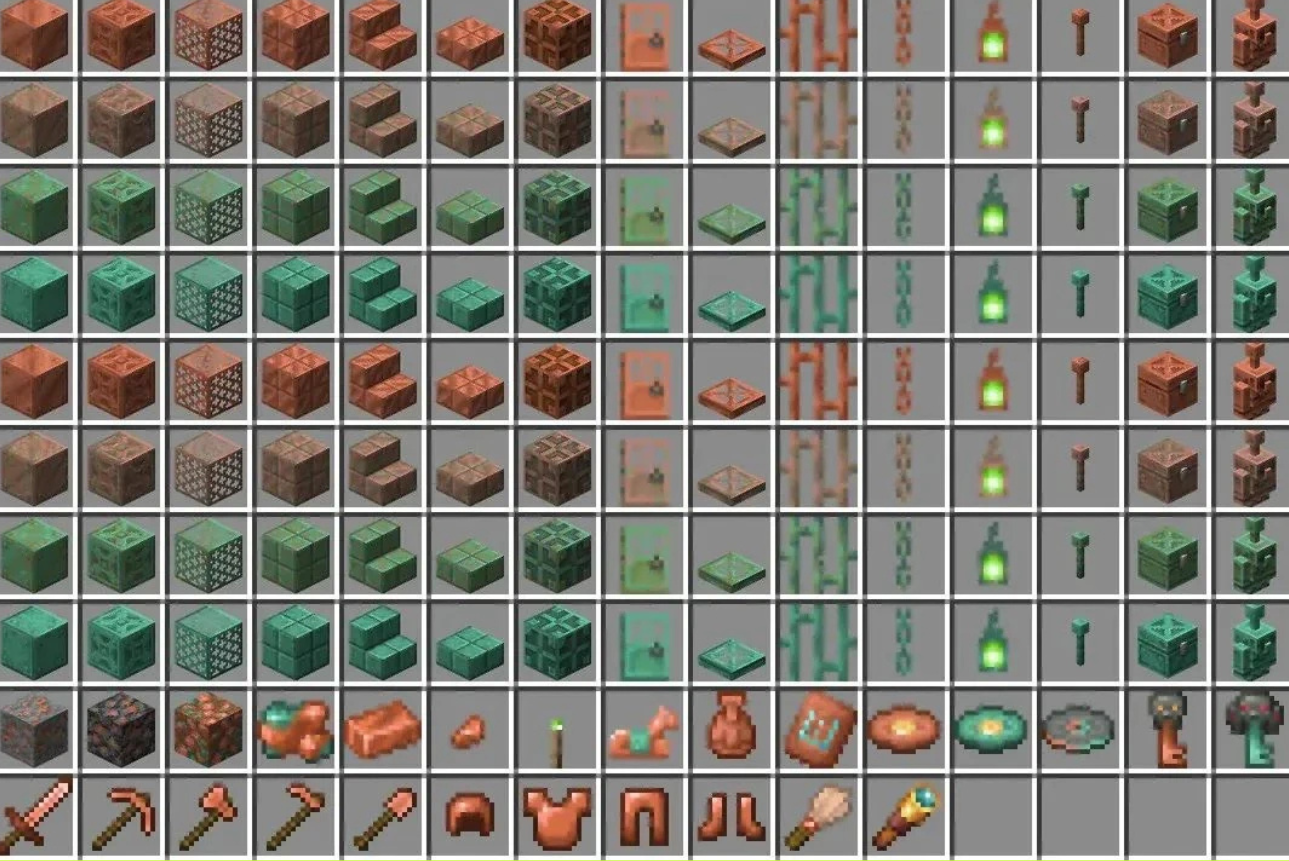
    • Copper Tools, Weapons & Armor: Copper is no longer purely decorative. The new gear tier sits between stone and iron in durability and utility. PC Gamer+2Minecraft.net+2
    • Copper Golems & Smart Storage: These mechanical companions help with sorting items from copper chests into nearby inventories. They can oxidize over time (becoming statues) unless maintained or waxed. GAM3S.GG+3Windows Central+3PC Gamer+3
    • Decor & Mechanical Blocks: Shelves, copper decor elements (lanterns, bars, chains), powered shelf systems for swapping items—all blending aesthetic and function. Windows Central+4Minecraft.net+4Windows Central+4
    • Oxidation & Waxing Mechanics: Just like copper blocks, many of the new elements age over time—requiring wax or tools to preserve or revert their state. Windows Central+3Windows Central+3PC Gamer+3
    • The Copper Cape Quest: A community challenge to unlock a special cape reward by summoning a massive number of copper golems within a set timeframe. Minecraft.net

    For Switch players, the update already landed, bringing these same copper features to portable play. GAM3S.GG


    CraftGPT: AI in Minecraft, Built Block by Block

    One of the most jaw-dropping recent developments comes from a player named Sammyuri, who built a conversational AI entirely within Minecraft using 439 million Redstone blocks and no commands or data-packs. Diario AS

    The so-called CraftGPT implements a 5 million-parameter language model with tokenizers, matrix operations, and more—though it responds extremely slowly (sometimes hours per reply). Diario AS

    While not practical for everyday play, it’s a striking demonstration of what players can do when creativity and technical ambition intersect in Minecraft.


    Mounts of Mayhem: What’s Next

    During Minecraft LIVE 2025, Mojang revealed the next big “game drop” titled Mounts of Mayhem, expected in late 2025 (likely December). Windows Central+3Windows Central+3Minecraft.net+3

    Some teased features include:

    • Rideable Nautilus: An underwater mount that halts oxygen depletion while riding it. Taming via pufferfish is planned. Windows Central+2Minecraft.net+2
    • Spear Weapon: A new tiered melee option with charge attacks and speed-based damage interplay—also useful for jousting. Minecraft.net+2PCGamesN+2
    • Mounted Zombie Enemies: Zombies riding zombie horses, wielding spears—adding new night-time threats. Windows Central+2PCGamesN+2

    Players can already test parts of these in previews and snapshots. PCGamesN+1


    Dragon Ball Z Crossover Hits Bedrock Edition

    Minecraft is crossing over with Dragon Ball Z—the announcement came during Minecraft LIVE. The Times of India

    This DLC, exclusive to Bedrock Edition, will bring Z-universe content into Minecraft: iconic characters, powers, themed environments, and quests inspired by DBZ lore. The Times of India

    The crossover is generating buzz, especially among anime/gaming crossover fans.


    Why It All Matters

    • The Copper Age update shifts copper from a novelty to a meaningful resource, reshaping how early-game progression works.
    • CraftGPT reminds us that Minecraft is not just a game—it’s a platform for creativity, engineering, and experimentation.
    • Mounts of Mayhem promises to deepen traversal and combat dynamics in both land and underwater environments.
    • The DBZ crossover underscores Minecraft’s open canvas: the game easily adapts to themed expansions and crossovers.
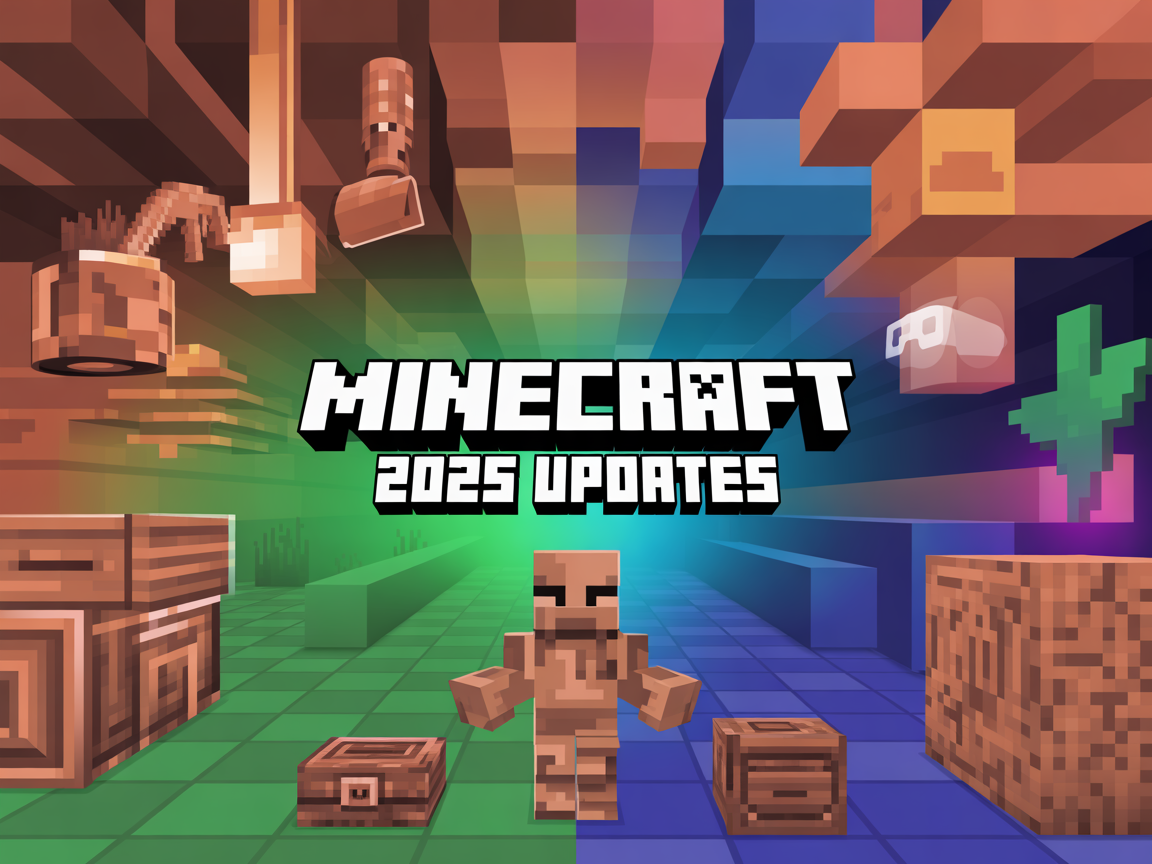
  • Copper, Visual Upgrades & VR Farewell: What’s New in Minecraft (2025)

    Copper, Visual Upgrades & VR Farewell: What’s New in Minecraft (2025)

    Introduction

    Minecraft remains one of the most influential games in the world, and 2025 shows why. More than a decade after its release, Mojang continues to expand the sandbox with new mechanics, graphical enhancements, and evolving technical decisions. The latest developments include the Copper Age update, a major step toward more advanced crafting and storage; the long-awaited Vibrant Visuals refresh; and the surprising decision to end official VR support. Together, these moves highlight both the challenges and opportunities of keeping a game fresh without losing its core identity.


    The Copper Age Update

    The most prominent addition this year is the Copper Age, the third major “game drop” of 2025. This update expands copper’s role far beyond its earlier decorative use, introducing tools, storage systems, and new utility mobs.

    Key features include:

    • Copper Tools & Weapons: A full set of copper gear—pickaxes, swords, and more—bridging the gap between stone and iron.
    • Copper Golems: Helpful allies that interact with copper chests, organizing items automatically. Players can also switch them into statue mode with four distinct poses.
    • Copper Chests & Pipes: New storage mechanics that allow for more complex item management.

    The Copper Age is currently available in Java snapshots and Bedrock betas, giving players a chance to test features before they become part of the stable release. Mojang has been rolling out incremental pre-releases, addressing performance issues (such as lag caused by golems) and fine-tuning user interface elements.

    This approach reflects a broader trend in Minecraft development: content is introduced gradually, refined with community feedback, and polished for long-term integration.


    Vibrant Visuals: A New Look for Minecraft

    For years, fans have debated whether Minecraft should evolve visually without losing its blocky charm. In 2025, Mojang answered with Vibrant Visuals, a graphical update announced at Minecraft Live.

    The update introduces:

    • Improved Textures with richer detail.
    • Directional Lighting for more realistic shadows.
    • Volumetric Fog and Reflections that add depth and atmosphere.

    Importantly, Vibrant Visuals is optional. Players can toggle it on or off, ensuring older hardware and classic gameplay styles remain supported. The update will first arrive on Bedrock Edition for modern consoles and PCs, with Java Edition support to follow.

    By modernizing its look while preserving accessibility, Mojang is signaling a long-term commitment to keeping Minecraft relevant in a gaming landscape defined by high-fidelity visuals.


    Farewell to VR Support

    In contrast to expansion, Mojang also announced a contraction: the end of official VR and mixed reality support. As of the 1.21.80 Bedrock update, Minecraft no longer supports VR devices.

    The decision was framed as a resource choice. Maintaining VR compatibility across multiple platforms required ongoing development that Mojang could no longer justify. While this disappointed a segment of the community, alternatives remain. Modding projects such as Vivecraft (for Java Edition) and QuestCraft (for Meta Quest devices) continue to offer unofficial VR access.

    This marks a shift in Mojang’s priorities—focusing on updates that benefit the largest share of players rather than sustaining niche features.


    Minecraft as a Platform for Learning and Research

    Beyond its updates, Minecraft is increasingly used as a platform outside of entertainment. In education, Minecraft Education Edition has introduced new content that teaches students about AI risks through interactive, story-driven scenarios. Meanwhile, research teams continue to use the game as a testing ground for AI agents that learn to plan, build, and solve problems in open-ended environments.

    This dual identity—both as a commercial game and as a research sandbox—reinforces Minecraft’s cultural and technological significance.


    Outlook: What’s Next for Minecraft?

    Looking ahead, several themes are emerging:

    • Expansion of Copper Age Features: Testing suggests that copper golems and chests may evolve with more functionality.
    • Visual Modernization: Vibrant Visuals could pave the way for further graphical options while keeping the core style intact.
    • Community Engagement: As with past updates, feedback from snapshots and betas will shape the final release.
    • Minecraft Live 2025: Scheduled for late September, this event is expected to reveal the next stage of Mojang’s roadmap.

    Conclusion

    Minecraft’s 2025 updates demonstrate a careful balance between innovation and stability. The Copper Age deepens gameplay, Vibrant Visuals modernizes presentation, and the end of VR support reflects strategic prioritization. Together, they show Mojang’s commitment to evolving Minecraft while respecting its foundations.

    As the game moves into its fifteenth year of active development, one question remains constant: how far can Minecraft continue to grow while staying true to its original vision?

  • Inside BuildTheEarth: Rebuilding the Entire Planet in Minecraft

    Inside BuildTheEarth: Rebuilding the Entire Planet in Minecraft

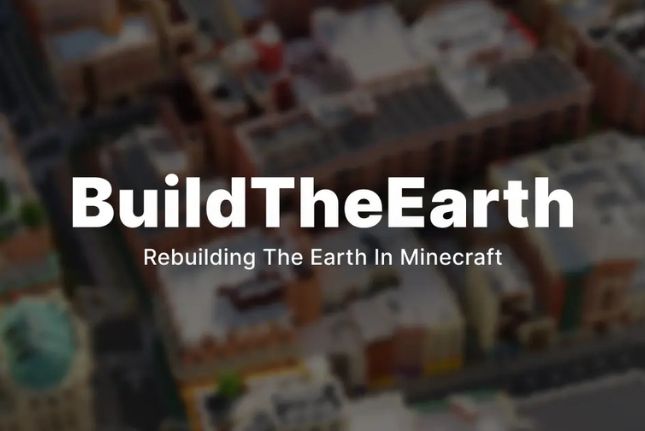
    In March 2020, a YouTuber named PippenFTS launched an ambitious idea: rebuild the entire planet Earth, at 1:1 scale, inside Minecraft. What began as a bold experiment has since grown into BuildTheEarth (BTE), a worldwide collaboration that unites thousands of gamers under one digital mission—to replicate cities, landmarks, and landscapes block by block.


    How It Works

    The project is organized into regional teams—cities, countries, or continents—where builders apply, showcase their work, and then claim plots of land to recreate. Progress is carefully coordinated, ensuring landmarks and skylines are placed as accurately as possible.

    To make Earth fit inside Minecraft, builders rely on map projections. After early experiments with the Mercator projection caused distortion, BTE shifted toward a Dymaxion projection, which reduces warping of landmasses (though oceans remain somewhat distorted).

    Tools and mods also play a crucial role:

    • Terra++ and similar mods help generate realistic terrain.
    • OpenCubicChunks originally removed vertical height limits, though newer Minecraft updates (1.18+) have made this less necessary.
    • Builders use Google Earth and GIS data to align structures with real-world coordinates.

    Highlights and Achievements

    Despite the daunting scope, progress is real and often spectacular.

    • Independence Hall, Philadelphia: A global team completed the Hall, Visitor Center, and Liberty Bell Center in just two months, celebrating with a virtual July 4th fireworks show inside Minecraft.
    • New York City: The NYC build is one of the largest undertakings, with an estimated 22% of the city completed, including financial districts and iconic landmarks.
    • Spain’s Cities: From Madrid’s Plaza Castilla towers to Málaga, Almería, and Gibraltar, builders are steadily shaping the Iberian Peninsula.
    • Educational Uses: Schools in Israel, Argentina, and Chile are using BTE builds to teach geography and mapping. In other cases, communities use the project to preserve lost villages or honor disaster-struck places.
    • Recognition: The Guinness World Records organization has acknowledged BTE as one of the largest collaborative Minecraft projects ever.

    Challenges Along the Way

    Recreating Earth at full scale isn’t without obstacles:

    • Sheer scale: Even with thousands of participants, the world is vast, and full completion could take decades.
    • Coordination hurdles: Builders span time zones, languages, and skill levels, making collaboration complex.
    • Game limitations: Terrain accuracy sometimes requires compromises, and while exteriors are prioritized, interiors are usually reserved for major public spaces.

    Still, the momentum continues—fueled by the creativity and dedication of a passionate community.


    Why BuildTheEarth Matters

    What could easily be dismissed as “just a Minecraft project” has become something much larger:

    • A tool for education and cultural preservation.
    • A showcase of what online collaboration can achieve.
    • A reminder of how gaming communities can channel passion into something monumental.

    While the project may never truly be “finished,” its progress demonstrates the power of shared creativity on a global scale.


    Conclusion

    BuildTheEarth is more than an ambitious Minecraft challenge—it’s a digital monument to our planet. Whether it’s serving classrooms, preserving memories, or simply letting players wander through a familiar cityscape in blocky form, the project continues to inspire.

    The question isn’t whether Earth will ever be fully built in Minecraft, but rather how far collaboration and imagination can take us along the way.

  • How to Survive Your First Week in Minecraft (Beginner’s Guide)

    How to Survive Your First Week in Minecraft (Beginner’s Guide)

    Starting a new world in Minecraft is exciting… and terrifying. One wrong move and you’ll respawn with nothing. If you’re new — or just want a solid refresher — here’s the ultimate guide to surviving your first week.


    🌅 Day 1: Gather the Basics

    • Punch trees for wood.
    • Craft a wooden pickaxe and get stone ASAP.
    • Make a stone sword, pickaxe, and axe.
    • Build a quick shelter (even a dirt hut works).
      Pro tip: Kill a few sheep for wool — a bed means you can skip the night and avoid mobs.

    🌙 Night 1: Stay Safe

    Don’t wander. Mobs (zombies, skeletons, creepers) will spawn in the dark. If you don’t have a bed, block yourself inside your hut and wait it out.


    🪨 Days 2–3: Upgrade and Explore

    • Mine iron and coal.
    • Smelt iron to craft armor and tools.
    • Collect food — farm wheat, cook meat, or gather berries.
    • Explore nearby caves, but bring torches.
      Pro tip: Always carry a bucket of water — it saves you from lava and fall damage.

    ⛏️ Days 4–5: Build a Base

    Now that you’re geared up, design a proper home. Add:

    • A farm for steady food.
    • Chests for storage.
    • A furnace and crafting station area.
    • Torches everywhere to prevent mob spawns.

    🏹 Days 6–7: Prepare for Adventure

    • Craft a bow and arrows.
    • Enchant your gear if you’ve found lapis and a book.
    • Start exploring further — villages, dungeons, or even the Nether (if you’re ready).

    ✅ Final Word

    If you survive your first week, you’re set for the long run. From here, the game opens up: exploring, building, Redstone, or even preparing for the Ender Dragon.

    👉 What’s the first thing you always do in a new Minecraft world?

  • 10 Things Every Minecraft Player Should Try at Least Once

    10 Things Every Minecraft Player Should Try at Least Once

    Minecraft isn’t just a game — it’s a universe of creativity, survival, and endless adventures. Whether you’re a veteran builder or just starting out, there are some experiences every player needs to try. Here are 10 must-do things in Minecraft 👇


    1. Survive Your First Night

    Nothing feels more intense than your first sunset in Minecraft. No house, no armor, just a wooden sword and the sound of zombies groaning. Survive it, and you’ve officially started your journey.


    2. Build Your Dream House

    From dirt huts to diamond castles, every player eventually builds their “perfect” home. Add secret rooms, redstone contraptions, and of course… a farm for your pets.


    3. Tame a Wolf (or a Cat)

    There’s something magical about wandering with a loyal wolf at your side. And if you’re a cat person? Find a village, bring some fish, and get yourself a furry guardian.


    4. Go to The Nether

    It’s hot, it’s dangerous, and it’s filled with hostile mobs. But stepping into The Nether for the first time feels like discovering an entirely new game.


    5. Build a Redstone Contraption

    Even a simple redstone door will make you feel like a genius. And if you’re up for it? Try automatic farms, secret bases, or even working computers.


    6. Defeat the Ender Dragon

    This is Minecraft’s ultimate boss fight. Gather your best gear, stock up on potions, and get ready for an epic battle that defines your survival world.


    7. Create a Mega Project

    Every player eventually takes on a massive build — a city, a floating island, a working roller coaster. It’s a test of patience, creativity, and your mining skills.


    8. Explore an Ancient City

    Deep in the caves, guarded by the terrifying Warden, lies one of Minecraft’s most dangerous (and exciting) places. Bring wool, bring courage, and don’t make a sound.


    9. Play With Friends

    Whether it’s survival with your crew or chaotic minigames, Minecraft hits different with friends. Some of the best memories come from multiplayer madness.


    10. Mod Your Game

    Once you’ve seen everything vanilla Minecraft offers, mods take it to another level — new mobs, dimensions, weapons, and even entire storylines.


    Final Thought

    Minecraft is endless — that’s why we keep coming back. It’s not about finishing the game, it’s about the stories we create inside it.

    👉 What’s the craziest thing you’ve built or done in Minecraft? Share it with me — I want to see your wildest creations.